01
Every server by hand
Database, proxy, certificates and workers, set up again for every client and slightly differently each time.
Create environments, deploy from GitHub, schedule backups and find out when something breaks. On servers that stay yours.
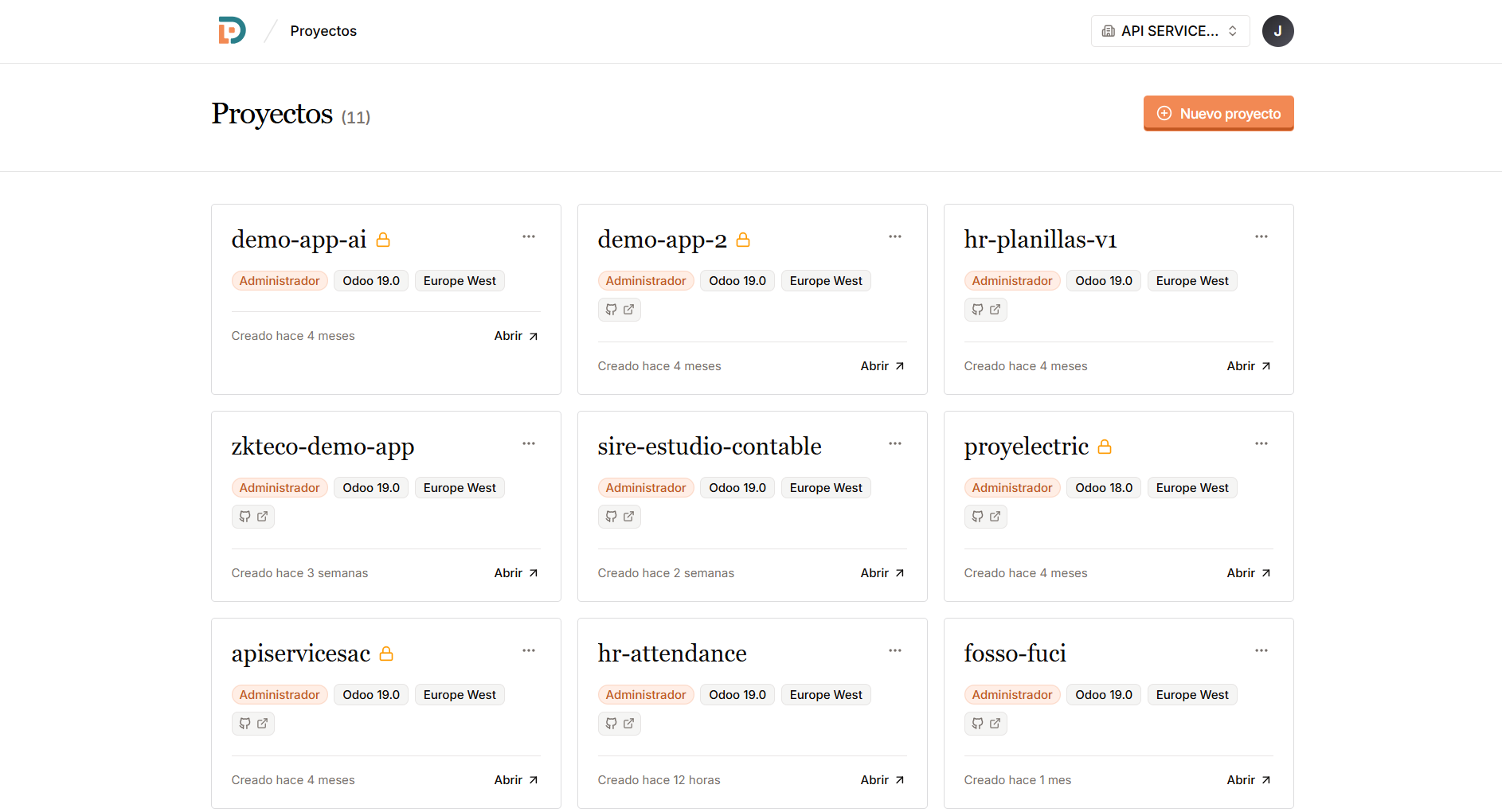
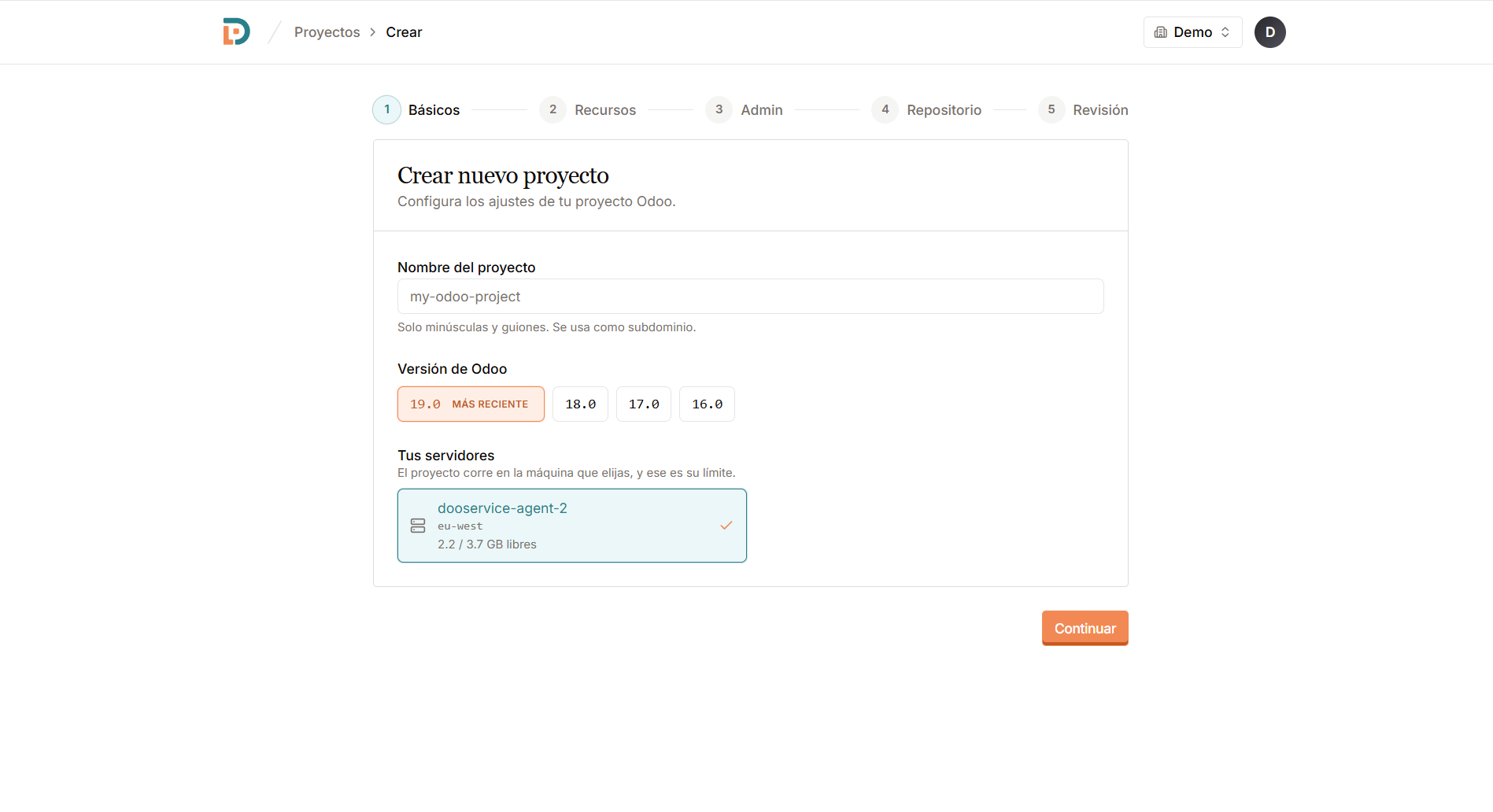
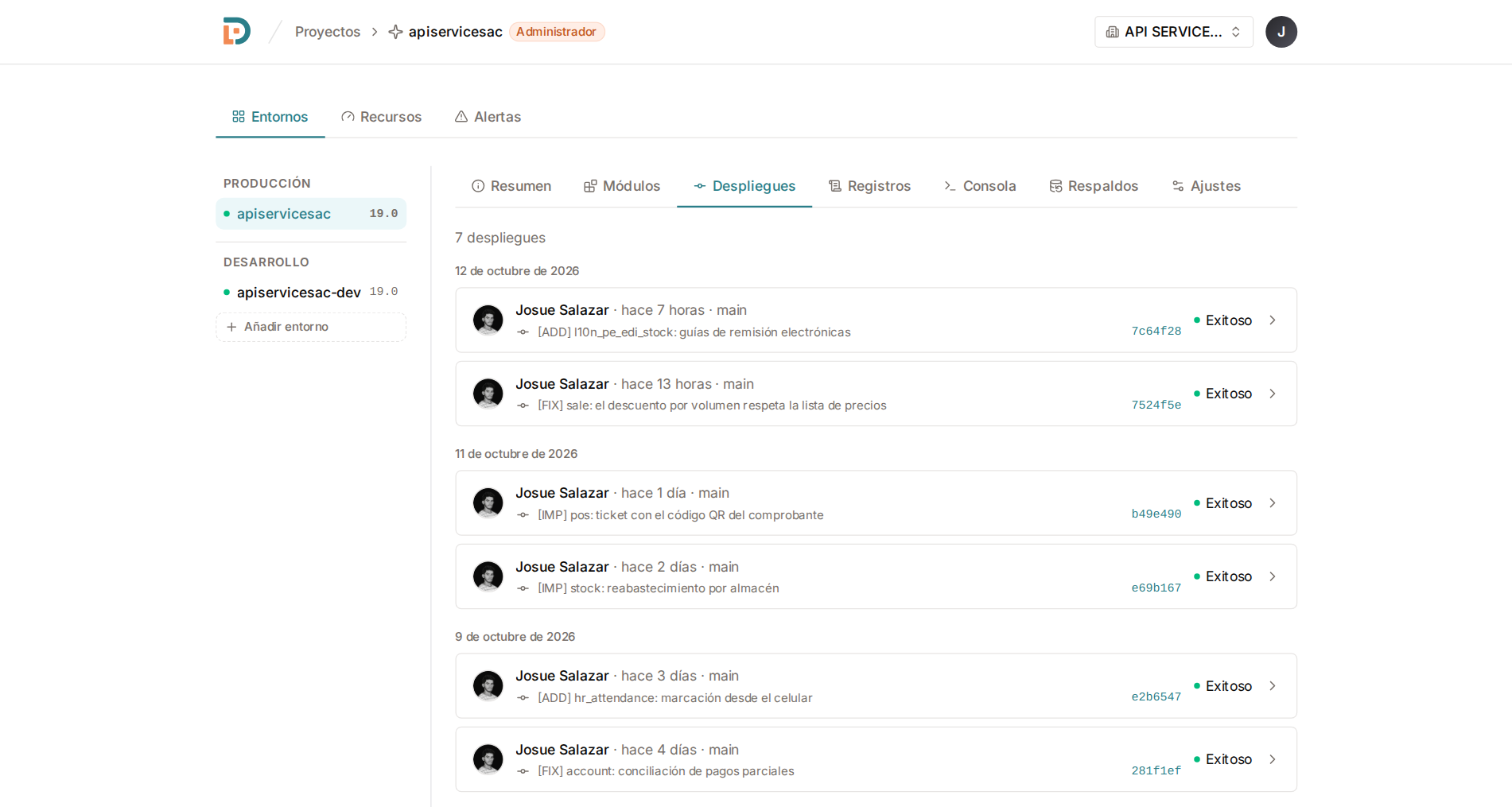
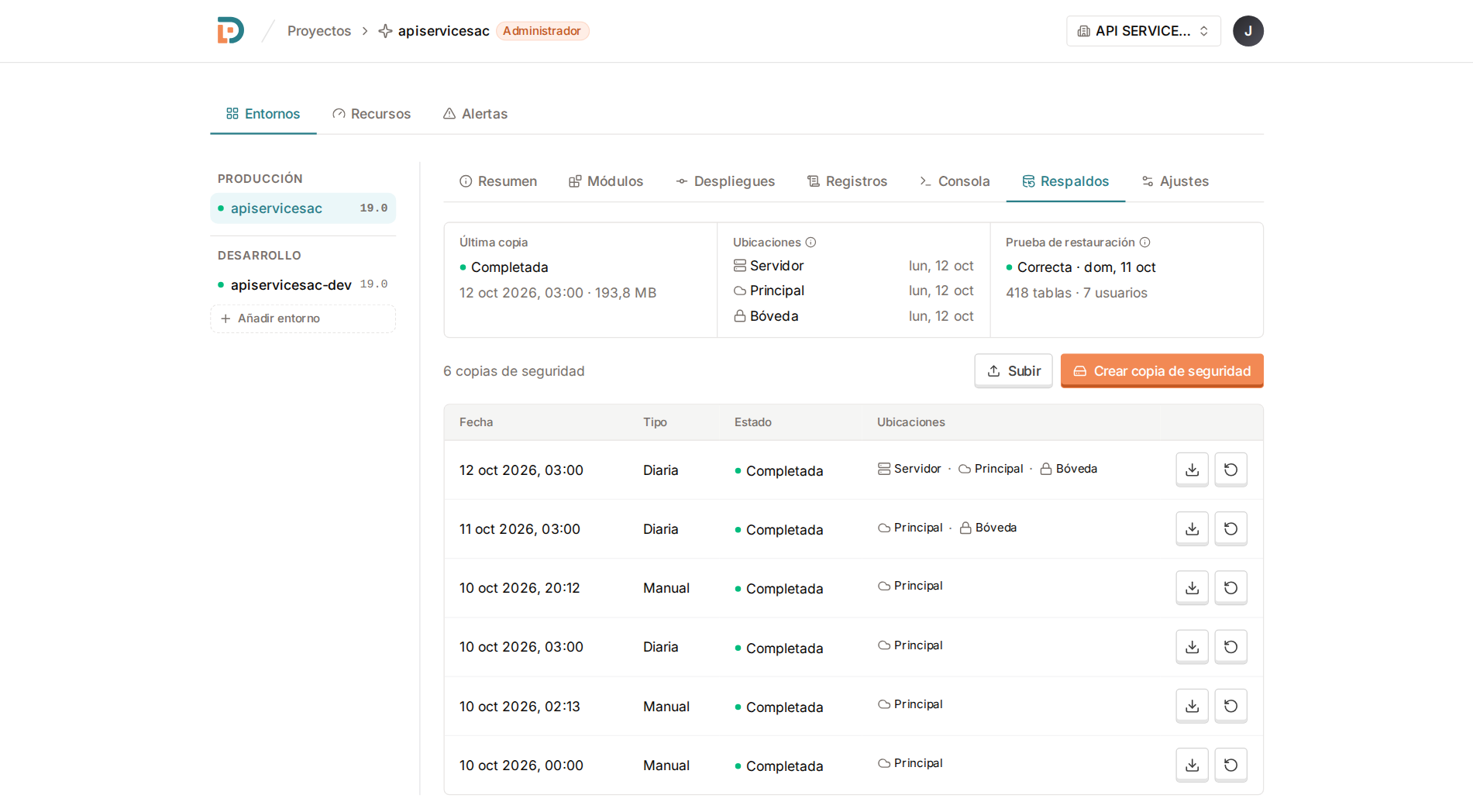
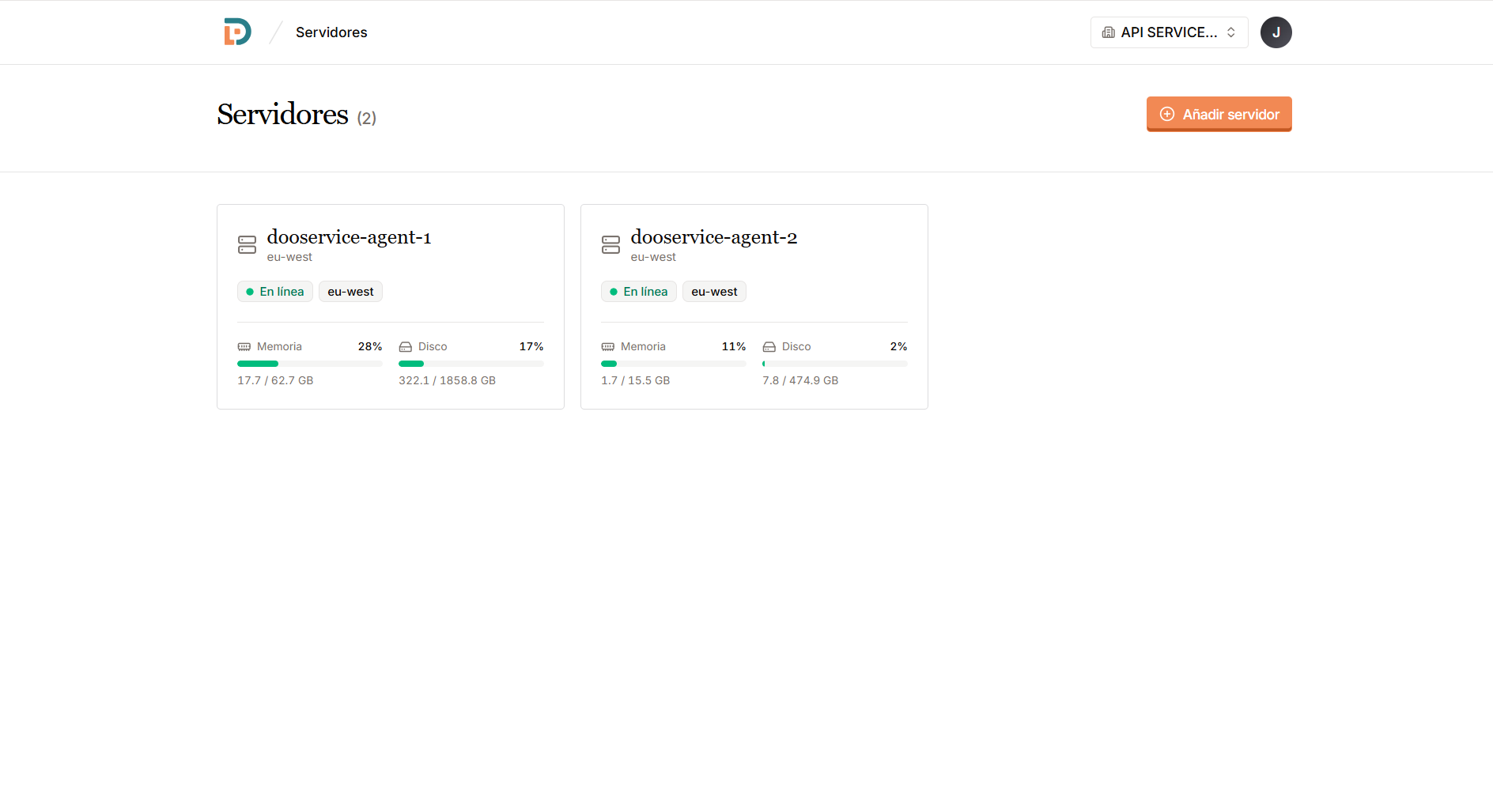
Every Odoo you run, with its version and region, in one list.
Click a screen to enlarge it
 Supported versions v20v19v18v17v16
 The work starts after the first install, when there are several clients, several versions and nobody watching the servers.
01
Database, proxy, certificates and workers, set up again for every client and slightly differently each time.
02
A backup that stopped weeks ago, a disk at 100%, production down. The first warning is the client calling.
03
Modules copied over SSH, no staging to try them and logs scattered in files nobody can find.
Everything you need to keep an Odoo running, on the same screen.
Create the server with us, or use one you already have. Either way it ends up set up and ready for new environments.
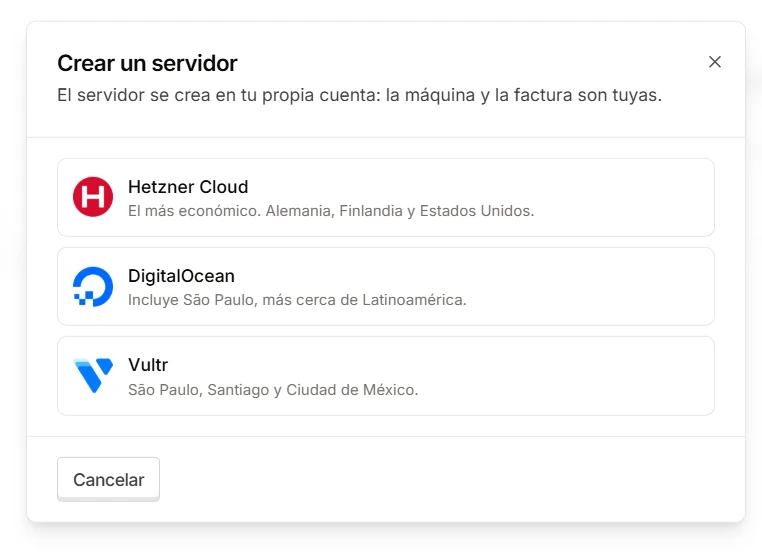
Hetzner, DigitalOcean or Vultr. We hand the machine over set up and ready for Odoo.
São Paulo, Santiago and Mexico City, besides Europe and the United States.
The machine is yours from minute one, and so is everything running on it.
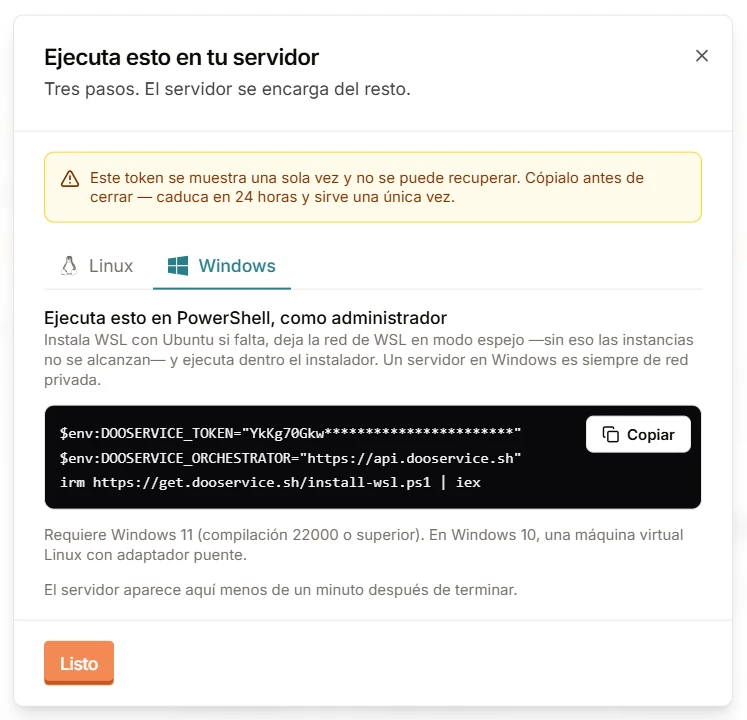
A VPS, the office PC or a Windows machine. Copy the line, run it and it shows up in the panel in under a minute.
Ubuntu 22.04 or 24.04, and Windows 11, where we set up WSL for you.
An office machine works too: its environments answer inside that network, with valid certificates.
Open that Odoo to the internet with your domain and HTTPS. No router settings to touch.
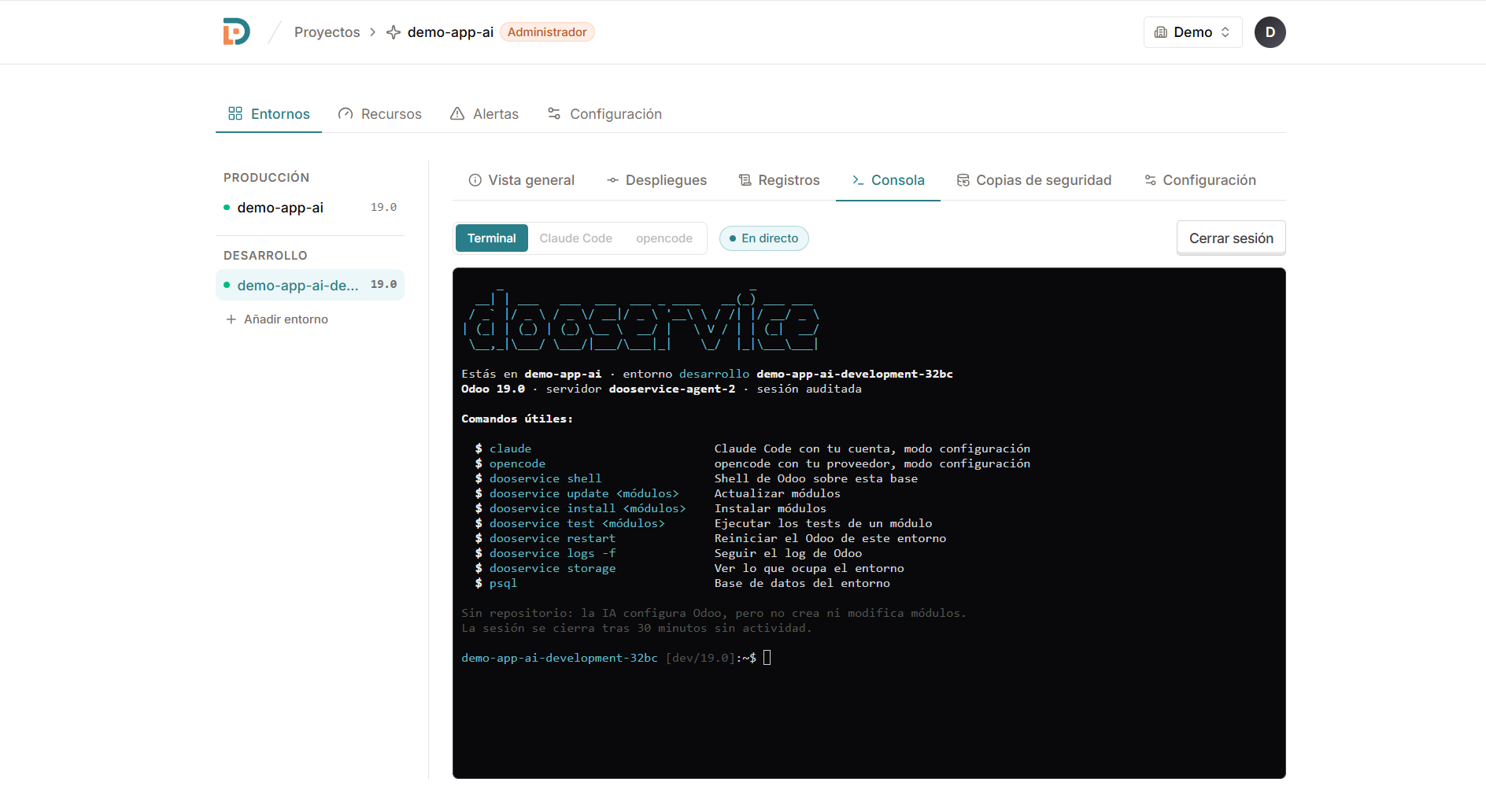
Open a console from the panel and work with AI on the real environment. It knows your Odoo version (models, fields, settings and views), configures for you and, when code is needed, proposes it before writing it. Nothing to install on your computer.
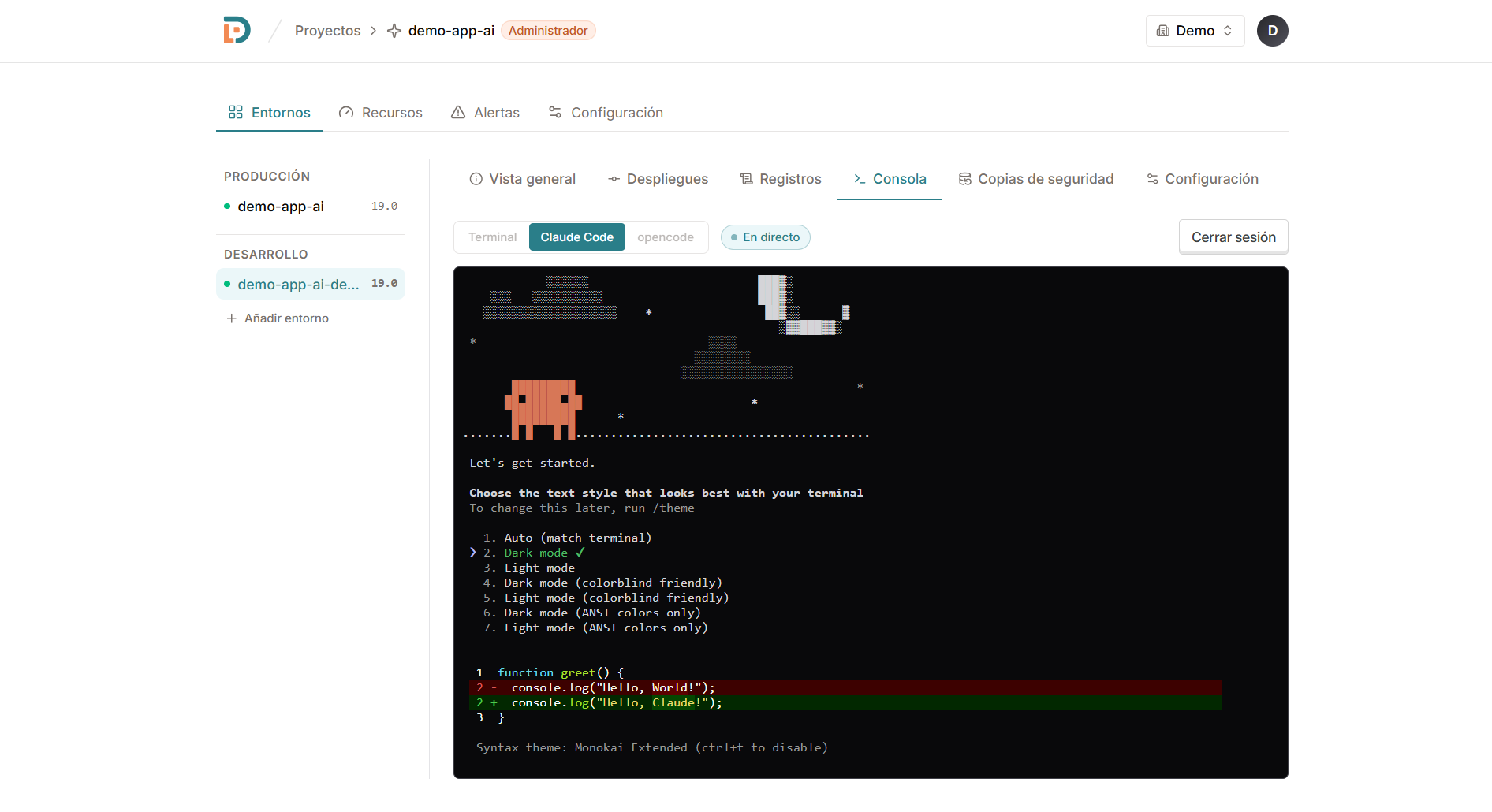
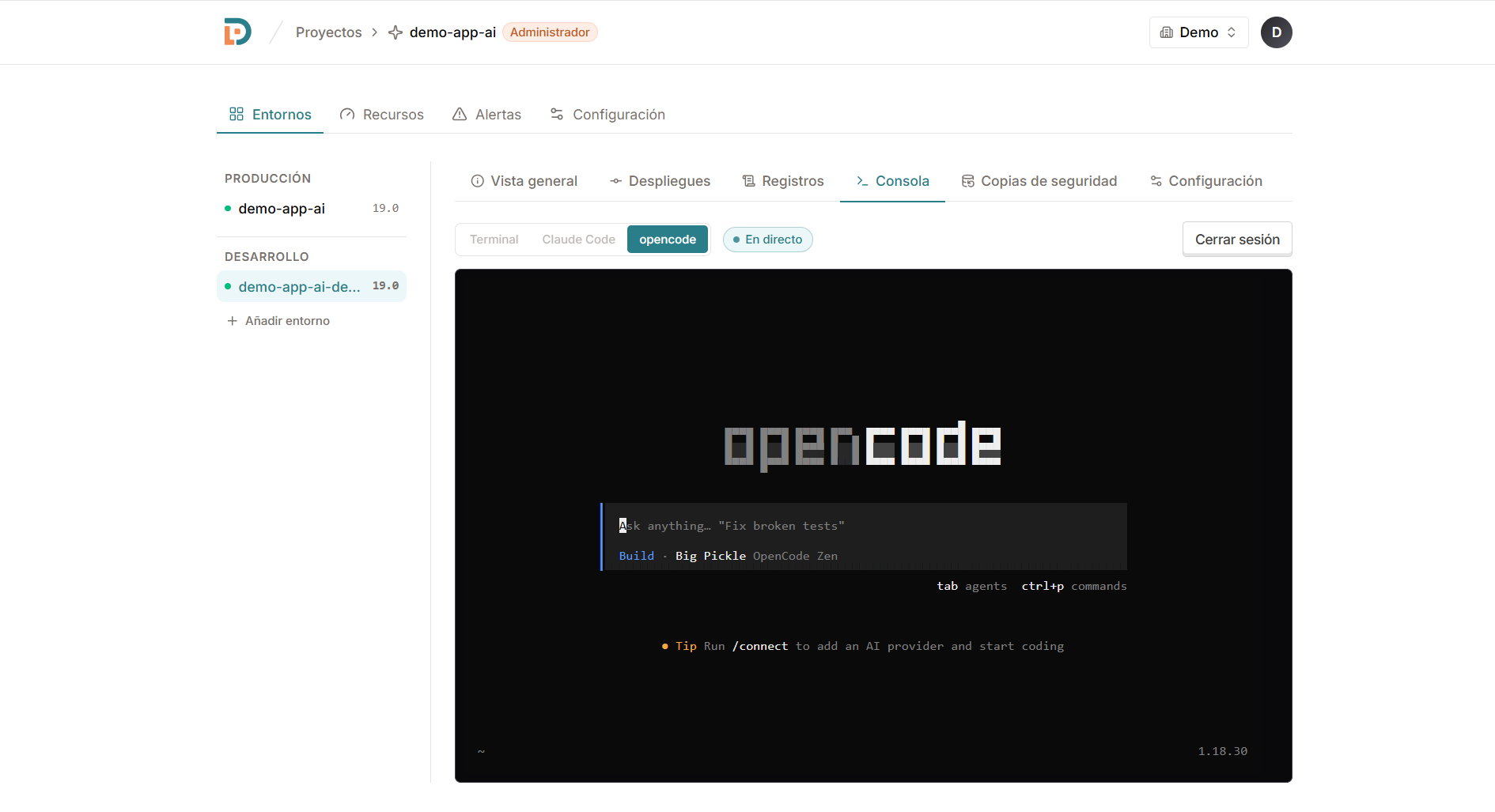
Claude Code on the real environment, from the browser.
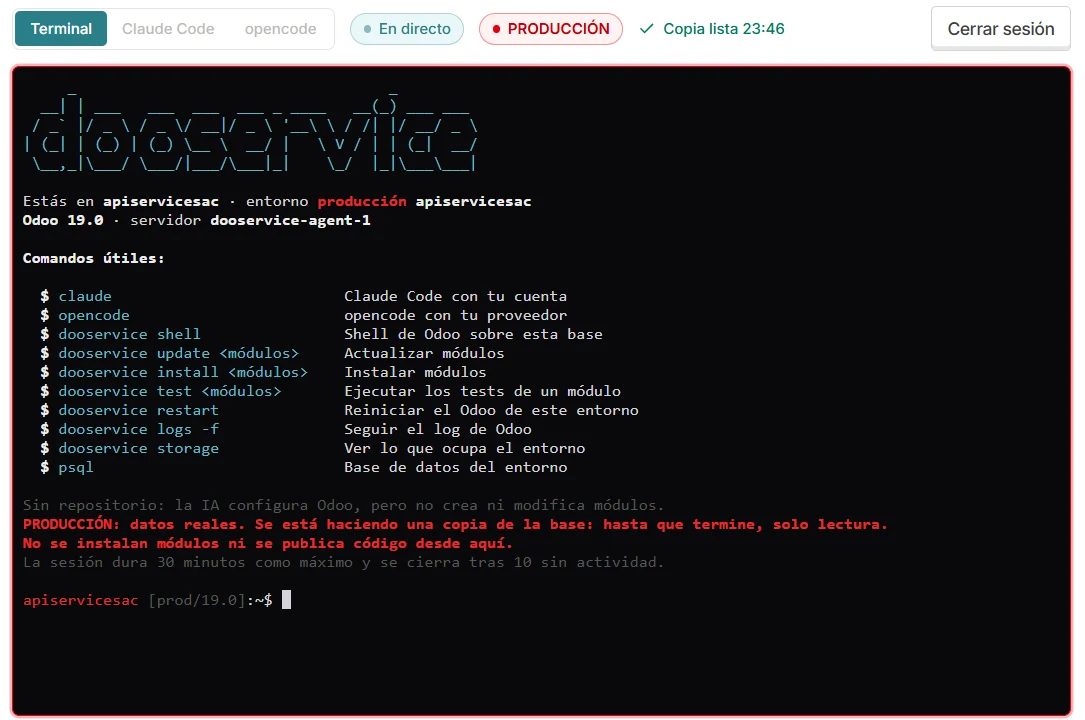
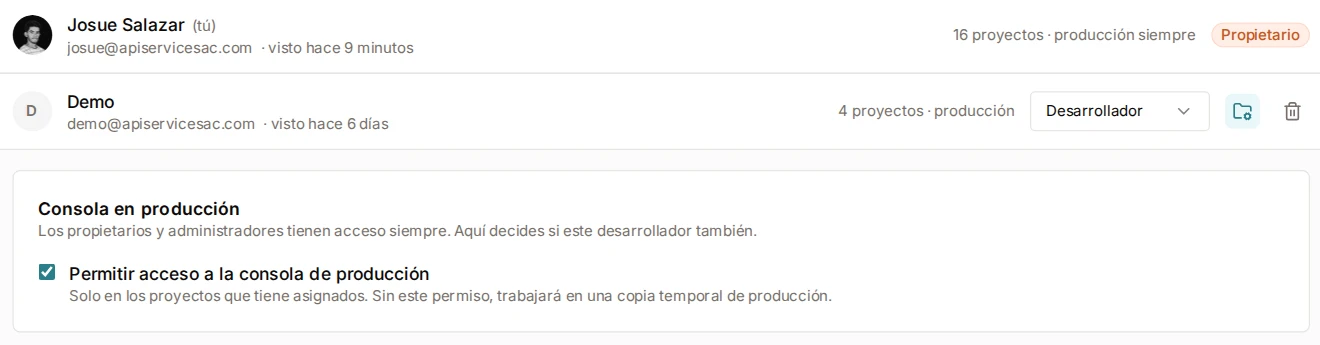
The production console backs up the database as it opens and lets nobody write until it is done. You decide who gets in.
Until the backup finishes, the console only reads. If something goes wrong, you restore in one click.
Owners and admins always; each developer only if you allow it, and only in their projects.
Claude Code and OpenCode read freely, but change data only through Odoo and after your confirmation.
Connect a server with one command. The rest is the panel.
Create one with us on Hetzner, DigitalOcean or Vultr, or connect the one you have with a single line. Linux or Windows.
One command
Pick the server and give it a name. That's your client's workspace.
A name
Choose the Odoo version and the environment type. Database and networking come solved.
Odoo 16–20
Your own domain, GitHub, backups and alerts. All from the same panel.
Live
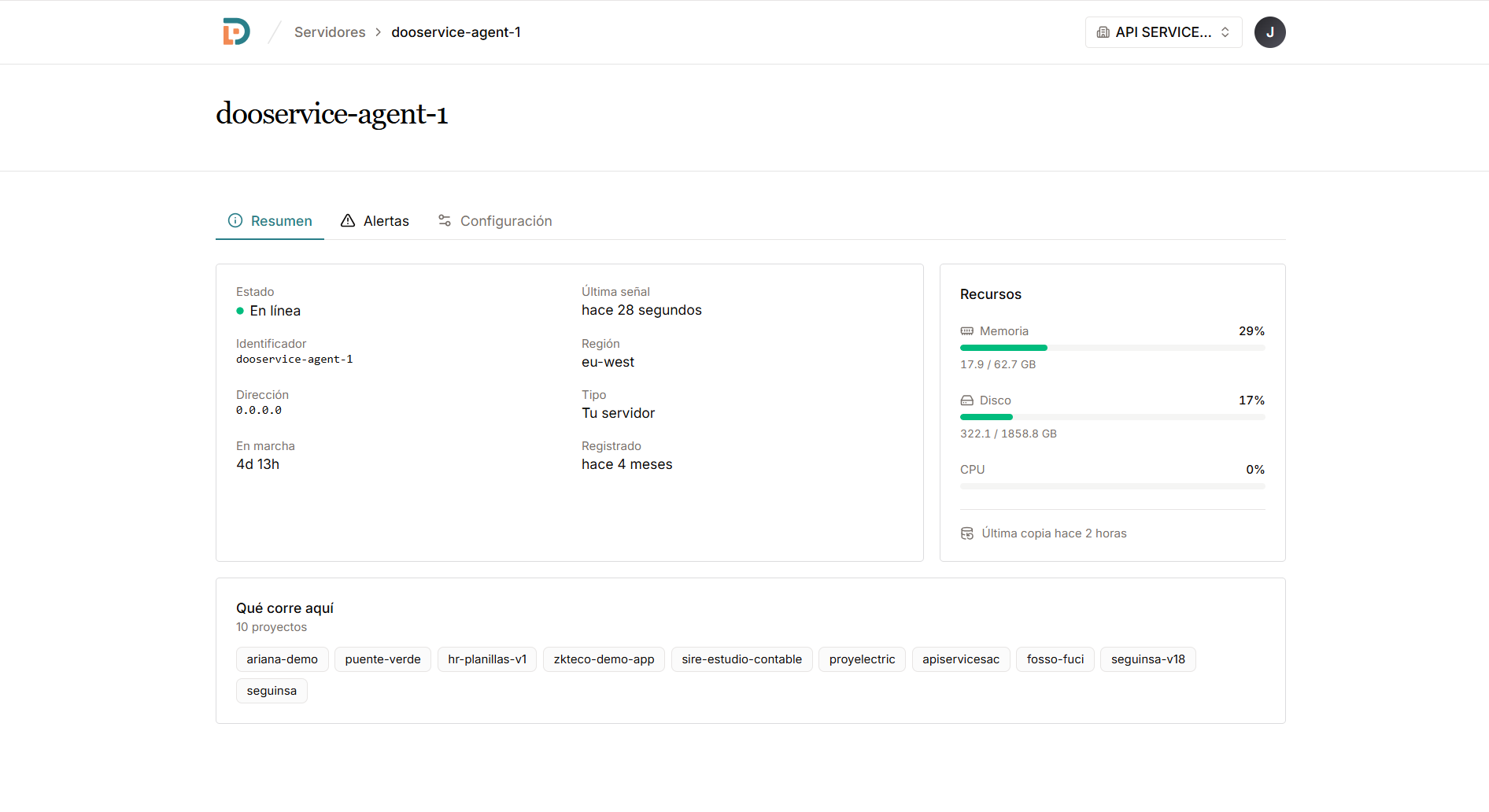
Each server reports its memory, disk, uptime and last backup.
The images your servers run, the modules in your Odoo and the skills of the AI are public on GitHub. Read them, audit them, use them or improve them.
The images your servers run: Odoo 16 to 20, its console with Claude Code and OpenCode, and PostgreSQL. Pinned by digest in every signed release.
Keeps the git copies of each server: one pool per repository, and environments that borrow from it. Ten environments of one repository take the disk of a single clone.
Dooservice Connect: the module in your Odoo, from 16.0 to 20.0.
Skills for AI coding agents, adapted to each Odoo version from 16 to 20 and checked against its source.
An async kernel for modular FastAPI services: modules, configuration, events, database and migrations. The base the orchestrator runs on.
To start with one client
1 project
For your client portfolio
10 projects
For a firm with many clients
30 projects
All three plans include
Free
Paid plans
When a plan falls short in one thing, add just that. It is billed with the plan, monthly or yearly.
Total
$39 a month plus taxes
10 projects · 50 GB off-site · 1 location
Yes. You install the agent on your own VPS, wherever you rent it. The machine, the databases and the backups stay yours.
Odoo 16, 17, 18, 19 and 20. Each environment picks its version, so a server can run several at once.
No. The panel sets up the database, the configuration, the networking and the certificates. You pick a version and a name.
Yes. Connect a GitHub repository, with deploy keys and submodules, and deploy it to any environment.
You get an email the same day, and another when it works again. Backups are scheduled and restored from the panel, and every week we check that one really restores. On a paid plan they are also kept off your server, at another provider, with a weekly one nobody can delete: the one that saves the day somebody deletes something they needed.
The AI reads freely, but changes data only through Odoo and, on production, asks for your confirmation before each change. Sessions close after 30 minutes idle; on production, after 10 idle and at most 30 minutes. Without a connected repository, it configures Odoo but does not create or change modules.
Yes. A VPS, an office PC or Windows, where we set up WSL for you. And if you want that Odoo to answer from outside, you publish it with a switch: your machine reaches out to us, so there are no router settings to touch, and the traffic stays encrypted all the way to your server.
You, directly to your provider. The AI account belongs to your organization or to one project (Anthropic, OpenAI or a compatible service), never to Dooservice. The panel records each call with its estimated cost, and a monthly limit, 100 US$ by default, warns by email at 80% and stops the calls when it is reached.
Leave your details and an advisor will write to you. You can also call us or message us on WhatsApp.
API SERVICE S.A.C. · RUC 20613252844
Av. General José de San Martín 166, Dpto. 202, Pueblo Libre, Lima, Perú
info@apiservicesac.com · +51 941 576 391
An advisor will write to you soon. If you prefer, talk to us now on WhatsApp.
We could not save your request right now. Message us on WhatsApp and we will help you right away.
info@apiservicesac.com · +51 941 576 391
Connect a server, create a project and run everything from one panel.