01
Every server by hand
Database, proxy, certificates and workers, set up again for every client and slightly differently each time.
Create environments, deploy from GitHub, schedule backups and find out when something breaks. On servers that stay yours.
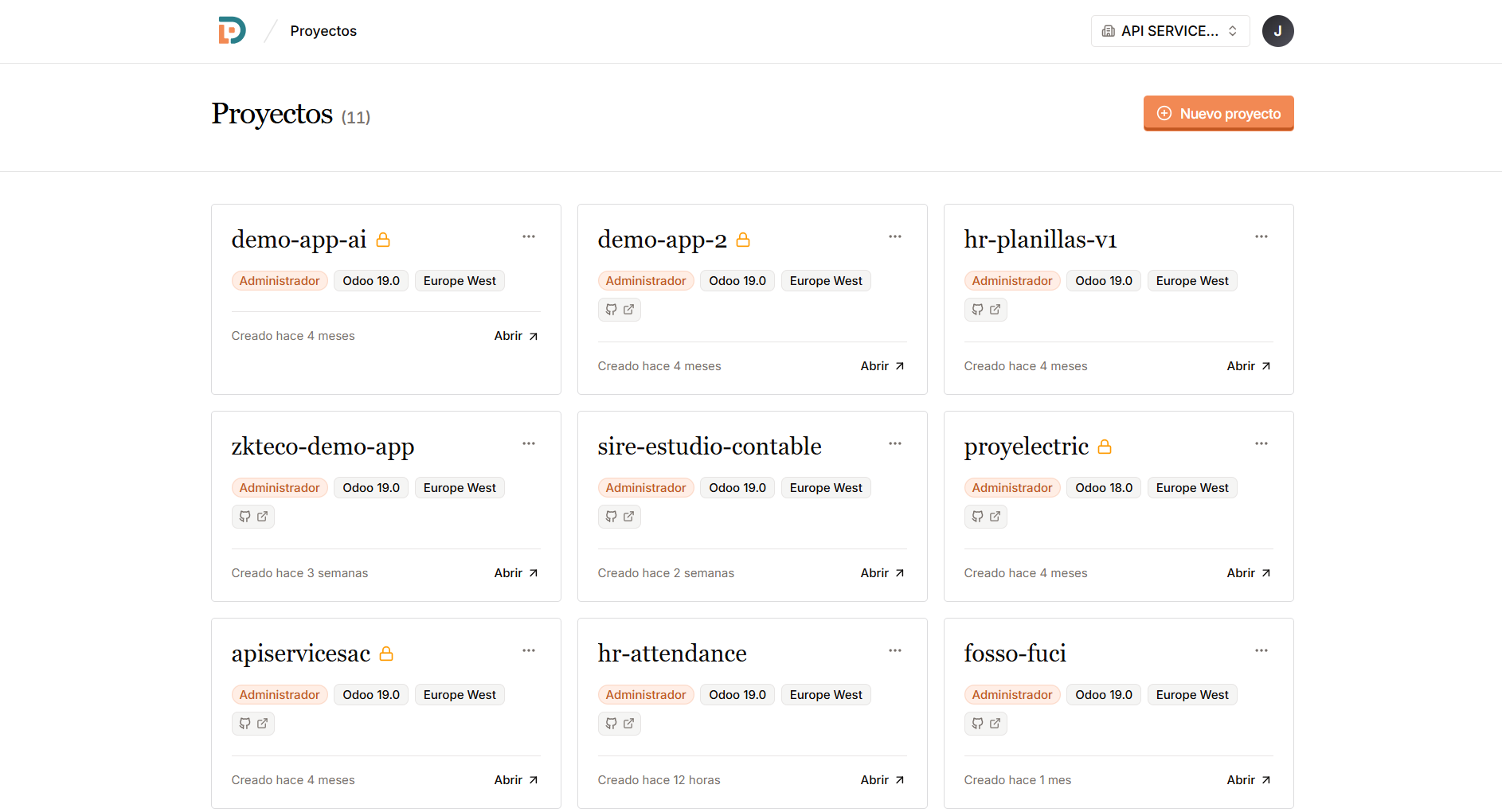
Every Odoo you run, with its version and region, in one list.
 Supported versions v20v19v18v17v16
 The work starts after the first install, when there are several clients, several versions and nobody watching the servers.
01
Database, proxy, certificates and workers, set up again for every client and slightly differently each time.
02
A backup that stopped weeks ago, a disk at 100%, production down. The first warning is the client calling.
03
Modules copied over SSH, no staging to try them and logs scattered in files nobody can find.
Everything you need to keep an Odoo running, on the same screen.
Production or staging in minutes. We handle the database, the config and the networking.
Connect your repository and ship your modules. Deploy keys and submodules included. Your tokens are stored encrypted.
Schedule daily backups and restore with one click. If one fails, you hear about it the same day.
Your domain on any environment, with SSL. Without touching a config file.
Watch the logs stream in from the panel. No SSH, no hunting for files.
The panel tells you how many workers fit on your machine, and why. Stop sizing by eye.
Server down, backup failed, disk at 90%, production stopped. An email when it happens and another when it clears.
Find out what is making your database heavy: the biggest tables, orphaned attachments, message history, stuck jobs.
See each environment day by day. Know when a disk will fill up before it does.
We create it on Hetzner, DigitalOcean or Vultr, with regions in Latin America. You only pick where.
A VPS, the office PC or Windows. One line and it joins the panel; on Windows we set up WSL for you.
Publish an environment that runs on your network, with your domain and HTTPS. No router settings to touch.
Create the server with us, or use one you already have. Either way it ends up set up and ready for new environments.
Hetzner, DigitalOcean or Vultr. We hand the machine over set up and ready for Odoo.
São Paulo, Santiago and Mexico City, besides Europe and the United States.
The machine is yours from minute one, and so is everything running on it.
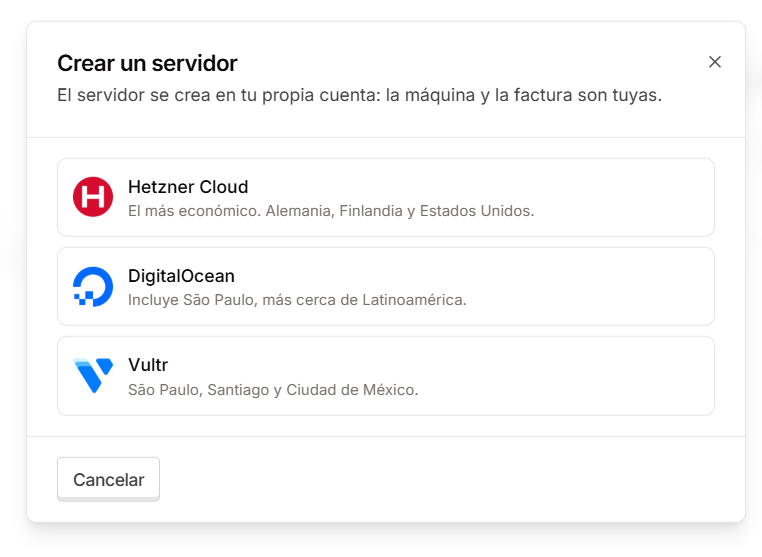
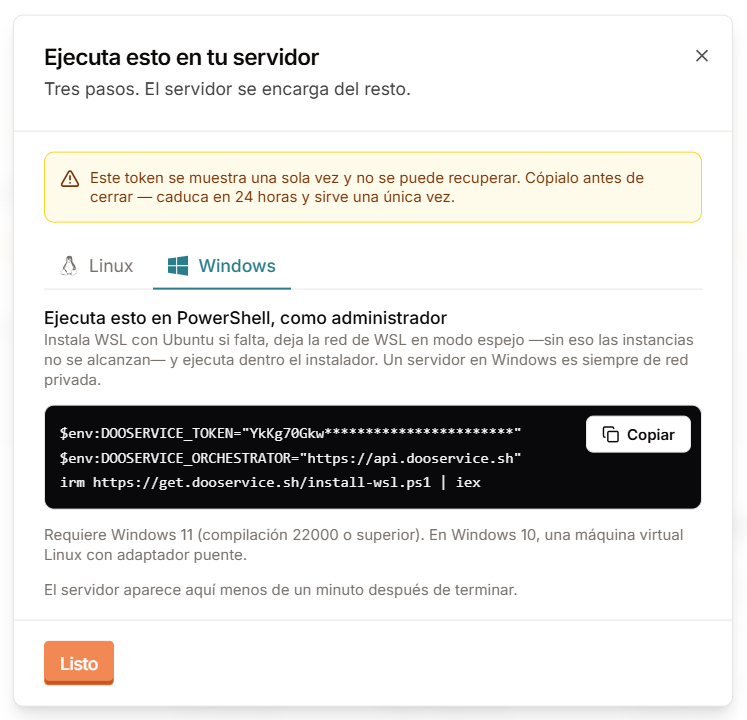
A VPS, the office PC or a Windows machine. Copy the line, run it and it shows up in the panel in under a minute.
Ubuntu 22.04 or 24.04, and Windows 11, where we set up WSL for you.
An office machine works too: its environments answer inside that network, with valid certificates.
Open that Odoo to the internet with your domain and HTTPS. No router settings to touch.
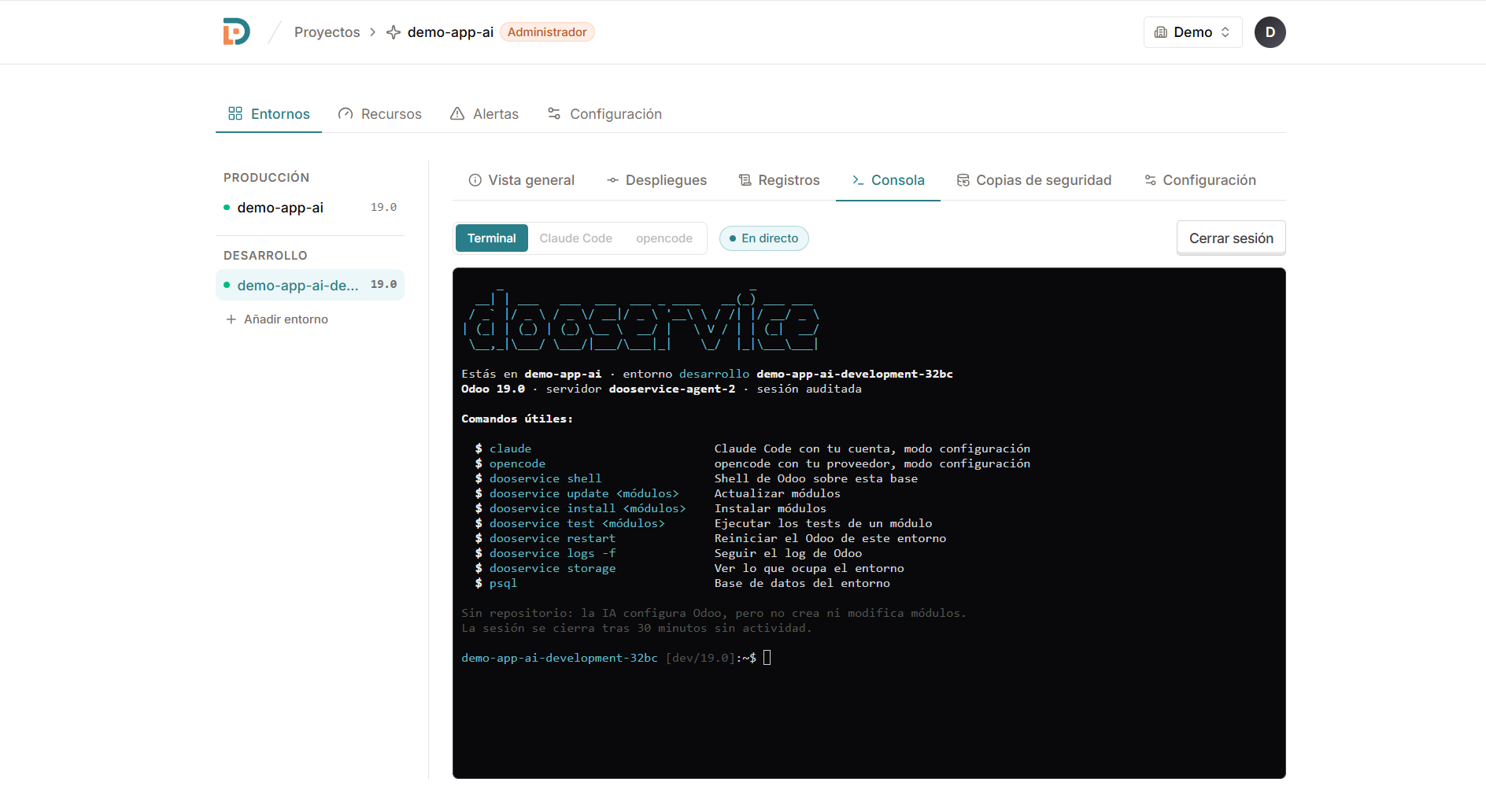
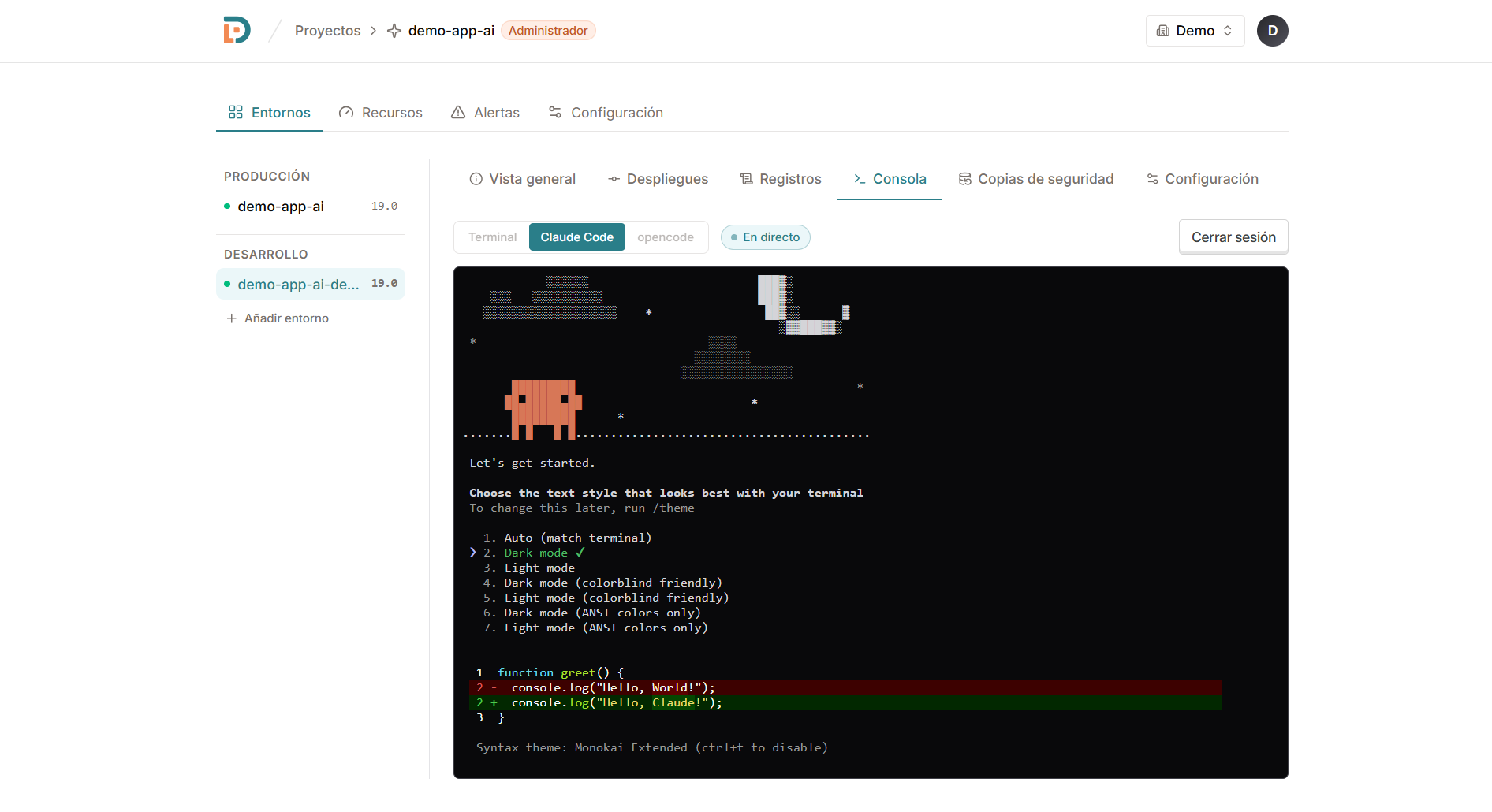
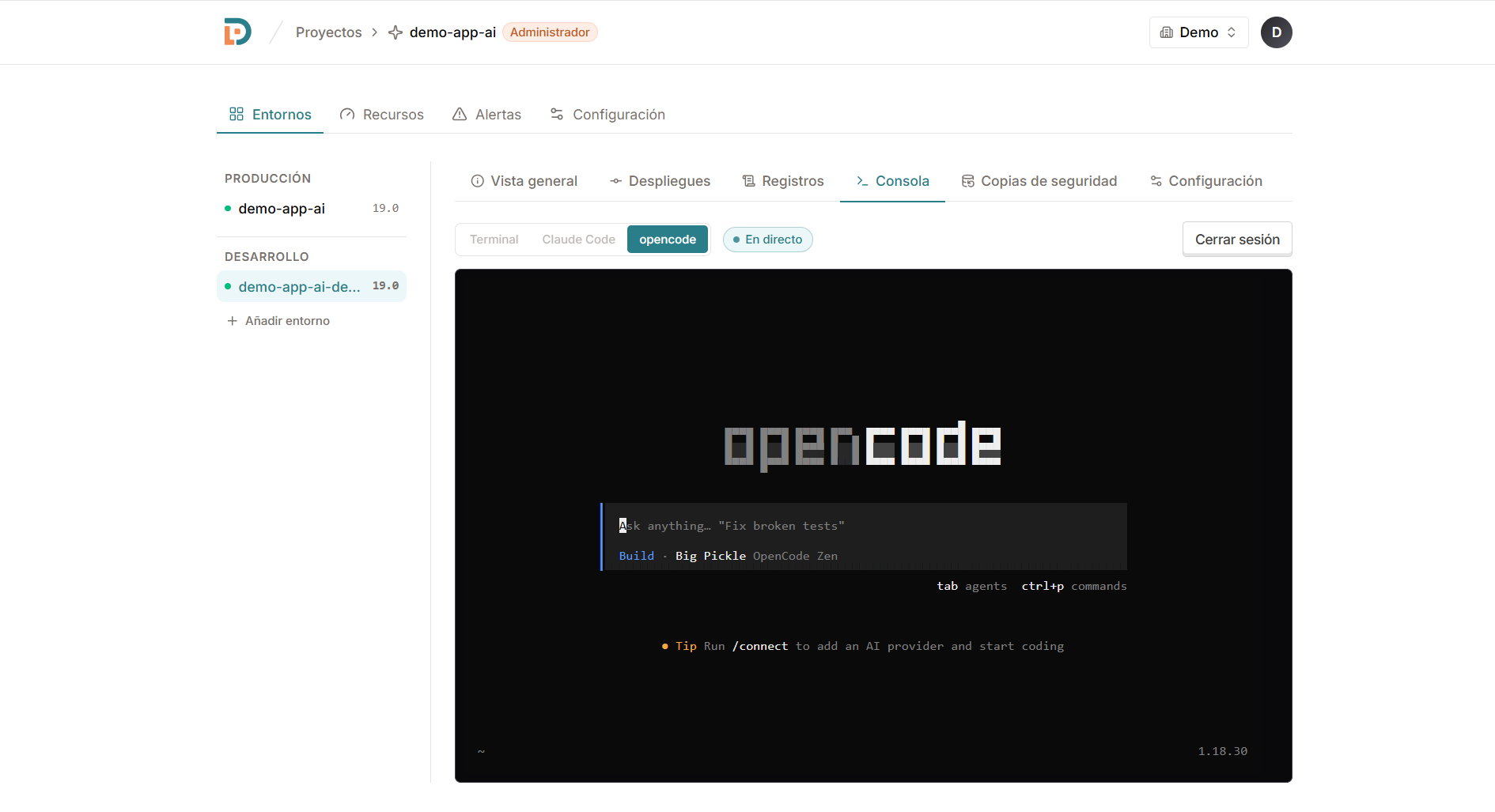
Open a console from the panel and work with AI on the real environment: it reads the logs, runs the Odoo shell and helps you configure. Nothing to install on your computer.
Connect a server with one command. The rest is the panel.
Create one with us on Hetzner, DigitalOcean or Vultr, or connect the one you have with a single line. Linux or Windows.
One command
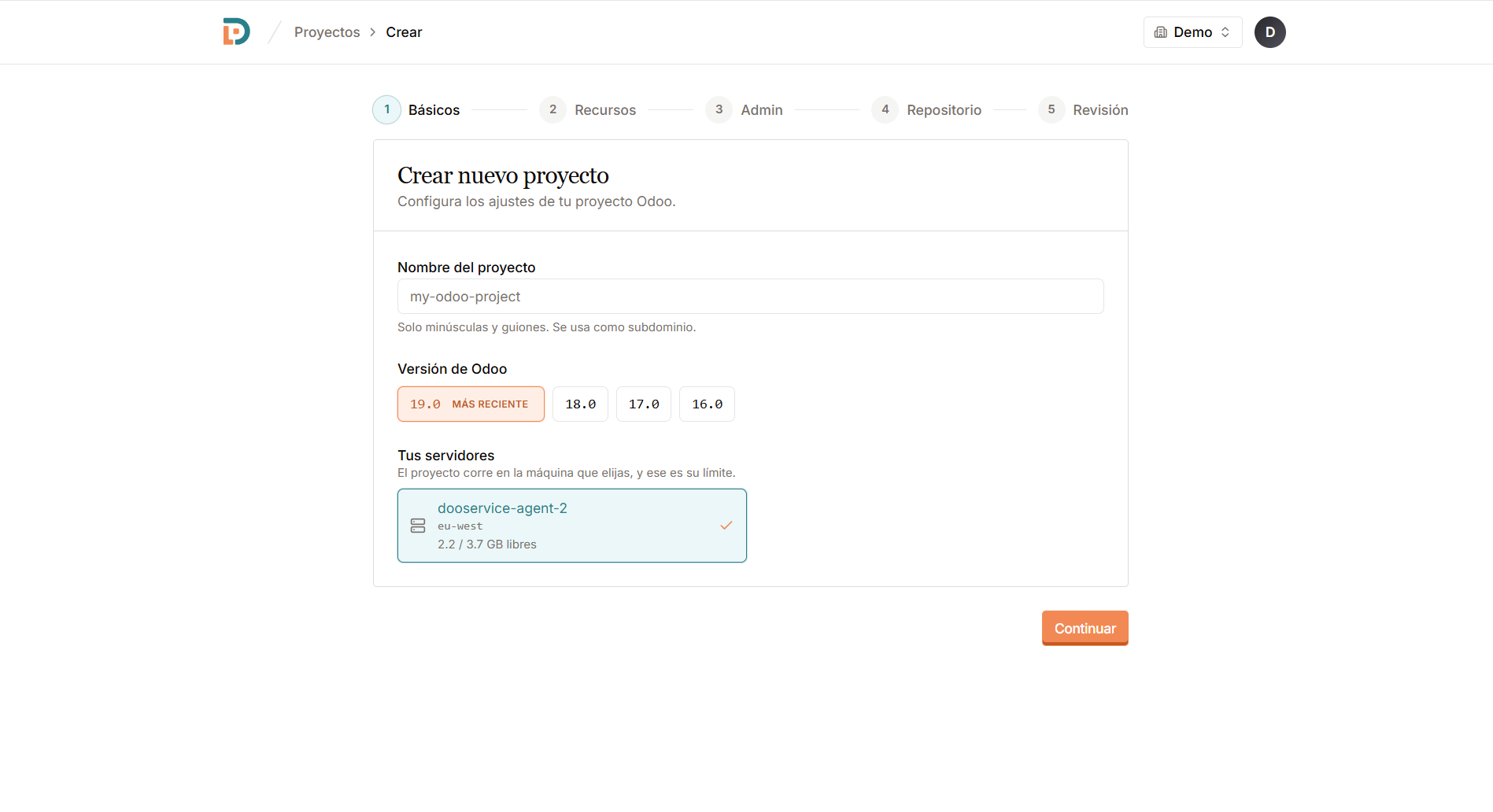
Pick the server and give it a name. That's your client's workspace.
A name
Choose the Odoo version and the environment type. Database and networking come solved.
Odoo 16–20
Your own domain, GitHub, backups and alerts. All from the same panel.
Live
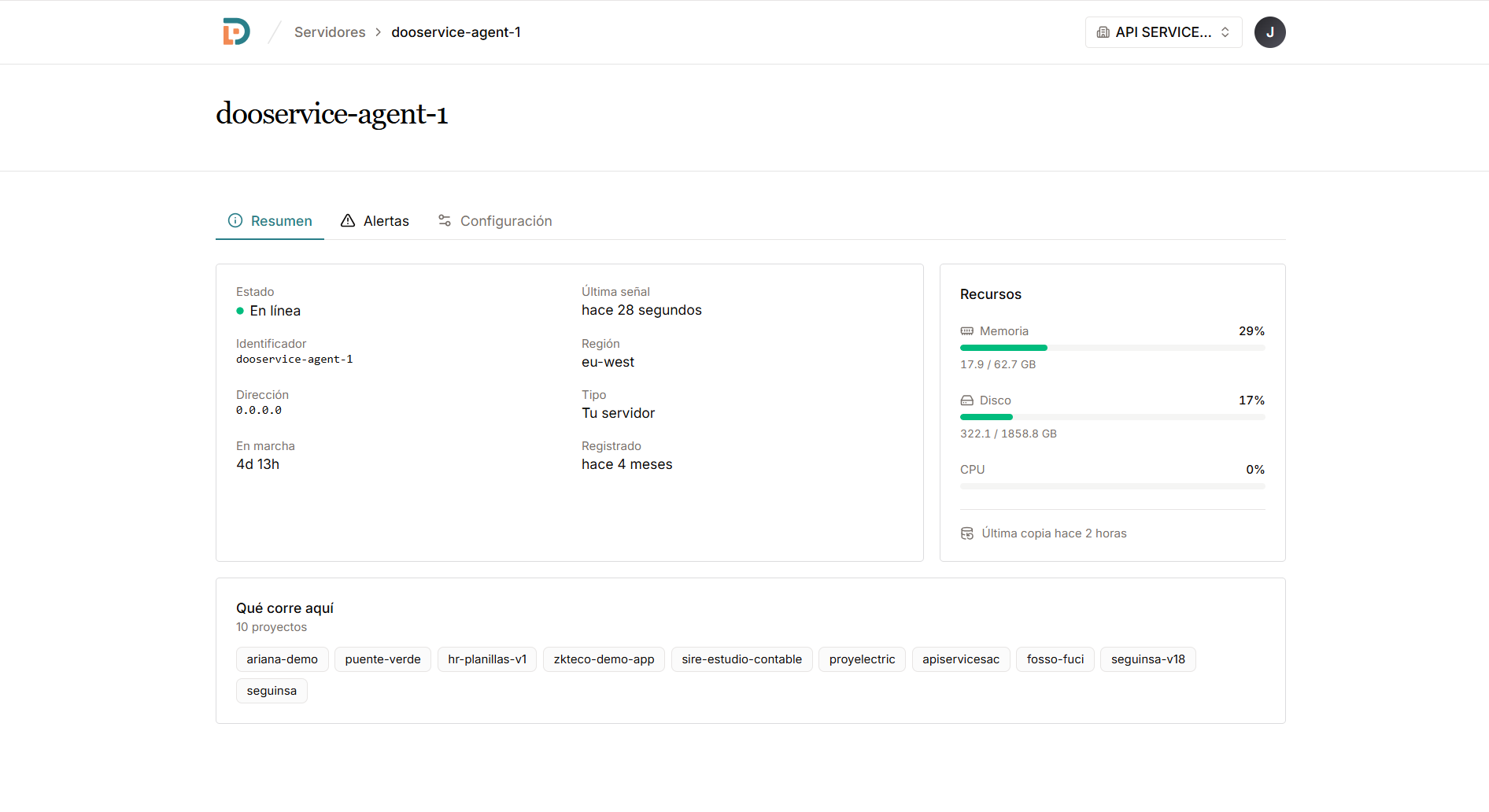
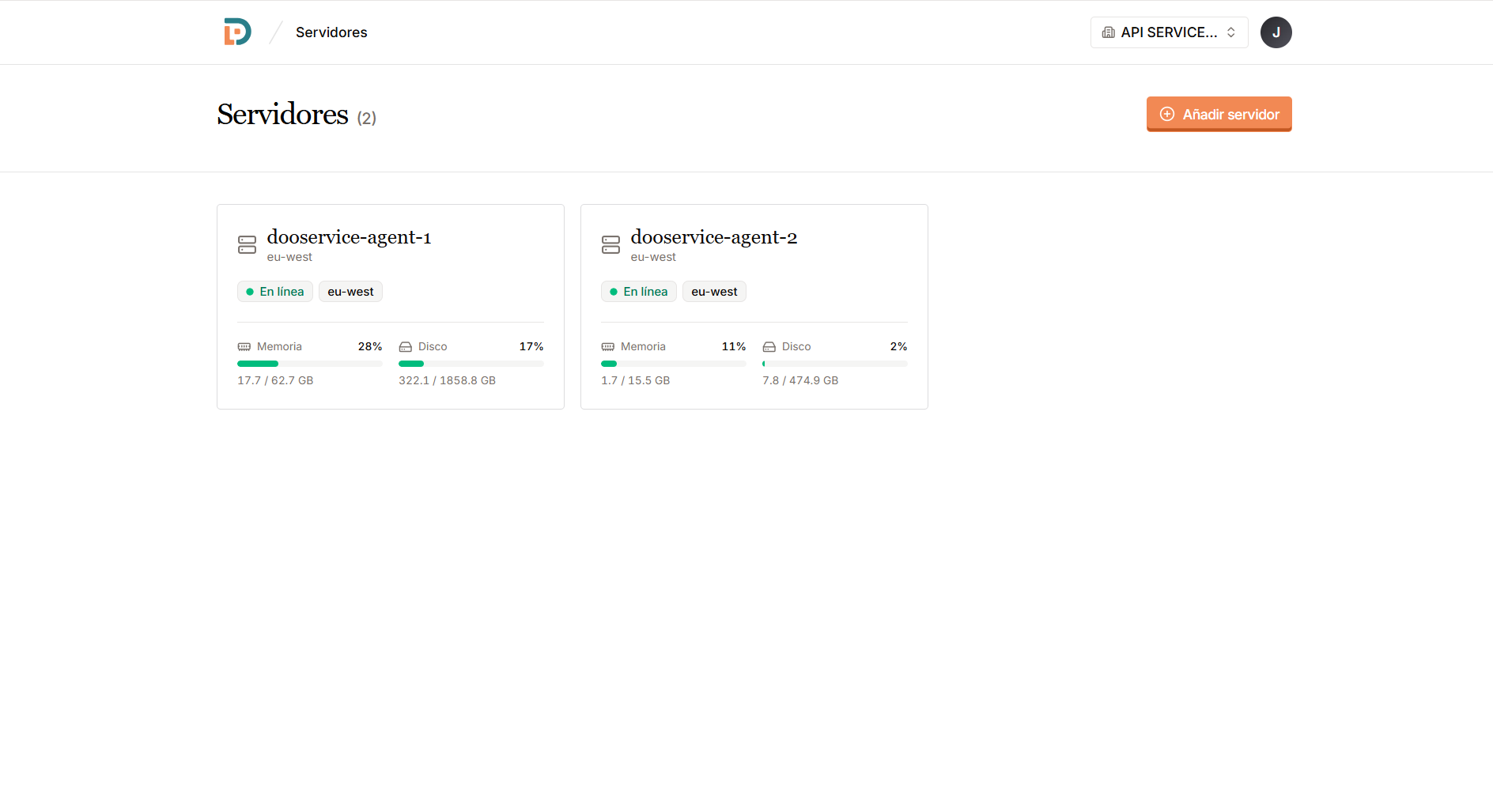
Each server reports its memory, disk, uptime and last backup.
Yes. You install the agent on your own VPS, wherever you rent it. The machine, the databases and the backups stay yours.
Odoo 16, 17, 18, 19 and 20 — the latter still in pre-release, for testing. Each environment picks its version, so a server can run several at once.
No. The panel sets up the database, the configuration, the networking and the certificates. You pick a version and a name.
Yes. Connect a GitHub repository, with deploy keys and submodules, and deploy it to any environment.
You get an email the same day, and another when it works again. Backups are scheduled and restored from the panel.
Sessions are audited and close after 30 minutes idle. Without a connected repository, the AI configures Odoo but does not create or change modules.
Yes. A VPS, an office PC or Windows, where we set up WSL for you. And if you want that Odoo to answer from outside, you publish it with a switch: your machine reaches out to us, so there are no router settings to touch, and the traffic stays encrypted all the way to your server.
Connect a server, create a project and run everything from one panel.